TF30063: You are not authorized to access Microsoft-IIS/7.5

This is the second time we have hit this error so this time it was a quick fix. But if you don’t know what it is you might be led astray by the message. When we have received this error is has nothing to do with permissions. This typically occurs on a build failure:

TF30063

The real reason is found in the Event Viewer on the TFS Web Server in all these Errors:

Event Viewer Errors

If you scroll through the jumbled Web Request Details within the event details you will see:

Exception Message: There is not enough space on the disk.
 (type IOException)
Exception Stack Trace:    at System.IO.__Error.WinIOError(Int32 errorCode, String maybeFullPath)
   at System.IO.FileStream.WriteCore(Byte[] buffer, Int32 offset, Int32 count)
   at Microsoft.TeamFoundation.Framework.Server.TeamFoundationFileService.InternalCopyTo(Stream source, Stream destination, Int32 bufferSize)
   at Microsoft.TeamFoundation.Framework.Server.TeamFoundationFileService.CopyStreamToTempStream(TeamFoundationRequestContext requestContext, Stream stream, Int64 compressedLength, CompressionType& compressionType, Boolean compressOutput, Boolean useFileStream)
   at Microsoft.TeamFoundation.Framework.Server.TeamFoundationFileService.RetrieveFile(TeamFoundationRequestContext requestContext, Int32 fileId, Boolean compressOutput, Byte[]& hashValue, Int64& contentLength, CompressionType& compressionType, String& fileName, Boolean failOnDeletedFile, Boolean returnNullIfDelta, Boolean forceFileStream, Boolean readIncompleteData)
   at Microsoft.TeamFoundation.Framework.Server.TeamFoundationFileService.RetrieveFile(TeamFoundationRequestContext requestContext, Int32 fileId, Boolean compressOutput, Byte[]& hashValue, Int64& contentLength, CompressionType& compressionType)
   at Microsoft.TeamFoundation.Server.Core.MidTierDownloadState.CacheMiss(FileCacheService fileCacheService, FileInformation fileInfo, Boolean compressOutput)
   at Microsoft.TeamFoundation.Server.Core.FileCacheService.RetrieveFileFromDatabase(TeamFoundationRequestContext requestContext, FileInformation fileInfo, IDownloadState downloadState, Boolean compressOutput, Stream databaseStream)
   at Microsoft.TeamFoundation.Server.Core.GenericDownloadHandler.DownloadFile(TeamFoundationRequestContext requestContext, DownloadContext downloadContext, HttpRequest request, HttpResponse response, HandleErrorDelegate errorDelegate)

The reason we ran out of disk space is due to IIS Logging. We were having giant transaction logs being recorded for all requests to the TFS Web Services. Archiving (deleting Winking smile) these restored our space quickly.

Technorati Tags:

Adding Microsoft PubCenter Ads with AdDuplex fall-back on Windows Phone 8

DVLUP has a challenge Shamelessly promote your apps with AdDuplex. AdDuplex doesn’t earn you any income so why would you want to give ads to your users without any benefit to yourself? AdDuplex answers this succinctly “According to reports the average fill rate in mobile ad networks could be as low as 10%. AdDuplex helps you utilize 100% of your ad space, so even when you are not making money from the other ad network you get free promotion for your app.”

It is encouraged to use an ad network with fallback to AdDuplex and It only takes 5 minutes to add to your app.

  1. Add references to Microsoft Advertising and AdDuplex
    a. Install Microsoft Advertising SDK, if not already, and add reference
    Reference to Microsoft Advertising SDK
    b. Install AdDuplex via NuGet Package. Enter into the Package Manager Console:
    Install-Package AdDuplexWP8
  2. Add references to the namespace in your Xaml page you want to display the ads

    xmlns:ad="clr-namespace:Microsoft.Advertising.Mobile.UI;assembly=Microsoft.Advertising.Mobile.UI"
    xmlns:adduplex="clr-namespace:AdDuplex;assembly=AdDuplex.WindowsPhone"
  3. Add controls so that the AdDuplex banner is under the Microsoft Advertising banner.  
    <adduplex:AdControl x:Name="adDuplexAd" AppId="12345" VerticalAlignment="Bottom" />
    <ad:AdControl Name="photoFoodDiaryAdControlRecordPage" Width="480" Height="80" VerticalAlignment="Bottom"
            IsAutoRefreshEnabled="True" IsAutoCollapseEnabled="True" 
            ApplicationId="test_client" AdUnitId="Image480_80" />

    AdDuplex requires that the complete banner is not hidden. With this setup, if the Microsoft Advertising banner fails to get an ad the IsAutoCollapseEnable will set Visibility Collapsed showing the AdDuplex banner.

  4. Generate Ad ids

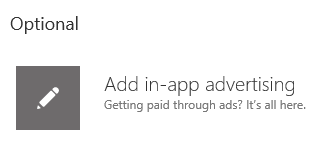
    a. In WP Dev Center publish or update. Add in-app advertising and Generate ad unit ID. 
    Add in-app advertising

    b. Sign up to Ad Duplex if you haven’t and add a new App.

    AdDuplex New app

  5. Add the required capabilities to your WMAppManifest.xml

    Capabilities
  6. Since the ad network doesn’t always return an ad, to test your ads check for any errors occuring, and set the ApplicationId and AdUnitId to the test values from here. Simple add a break point in the method and inspect e.Error.Message if the break point is hit.

    ErrorOccurred="AdControlRecordPage_ErrorOccurred"
    private void AdControlRecordPage_ErrorOccurred(object sender, Microsoft.Advertising.AdErrorEventArgs e)
    {
    }

    e.Error.Message

Now you should see the Microsoft test ad. Remember to switch you ApplicationId and AdUnitId back to what you got from the Dev Center and you are done.

Microsoft Test Ad

Technorati Tags:

Adding Localization to a Windows Phone app

If you have any Windows Phone 7 apps from the original templates, unlike the Windows Phone 8 app templates they did not come with localization setup already. So lazy me just wrote the strings inline. Fortunately adding localization after updating to Windows Phone 8 is easy.

  1. Add a Resources folder
  2. Add new Resources resx to the folder named AppResources.resx
    AppResources.resx
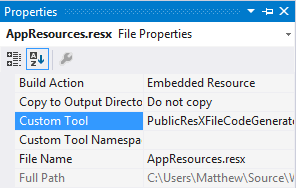
  3. Ensure Custom Tool is set to PublicResXFileCodeGenerator
    AppResources.resx Properties
  4. Add a new class named LocalizedStrings to the root of your project
    using YourAppNamespace.Resources;
    
    namespace YourAppNamespace
    {
        /// <summary>
        /// Provides access to string resources.
        /// </summary>
        public class LocalizedStrings
        {
            private static AppResources _localizedResources = new AppResources();
    
            public AppResources LocalizedResources { get { return _localizedResources; } }
        }
    }
  5. Add an Application.Resource of your LocalizedStrings class to your App.xaml

        <Application.Resources>
            <local:LocalizedStrings xmlns:local="clr-namespace:YourAppNamespace" x:Key="LocalizedStrings"/>
        </Application.Resources>
  6. Add strings in AppResources.resx

    AppResources.resx Content

  7. Use localized strings anywhere in your Xaml

    CompanyName="{Binding Path=LocalizedResources.CompanyName, Source={StaticResource LocalizedStrings}}"
  8. To Add other languages and for more details follow How to build a localized app for Windows Phone

New Work Item State on TFS Kanban Board

Continuing our Quest we currently have the states To Do, In Progress and Done. We need to add another for when it goes into testing so we will call that Boss Battle.

Firstly we need to add the new state to the work item type. Export the Quest work item type:

witadmin exportwitd /collection:http://vsalm:8080/tfs/FabrikamFiberCollection /p:FabrikamFiber /n:Quest /f:%userprofile%\desktop\QuestWitd.xml

Add a new state under witd > WORKITEMTYPE > WORKFLOW > STATES:

<STATE value="Boss Battle"/>

Modify the transitions to go through the new state:

<TRANSITION from="In Progress" to="Done">
<TRANSITION from="In Progress" to="Boss Battle">

<TRANSITION from="Done" to="In Progress">
<TRANSITION from="Done" to="Boss Battle">

In practice you might want to add more transitions around the state. This is much easier using the TFS Power Tools Process Template Editor. This will now have the workflow in place with the new state, but when that state is selected the work item will not appear on the board.

Export the process configuration definition:

witadmin exportprocessconfig /collection:http://vsalm:8080/tfs/FabrikamFiberCollection /p:FabrikamFiber /f:%userprofile%\desktop\ProcessConfiguration.xml

Under the TaskBacklog add a new InProgress state:

<States>
  <State type="Proposed" value="To Do" />
  <State type="InProgress" value="In Progress" />
  <State type="InProgress" value="Boss Battle" />
  <State type="Complete" value="Done" />
</States>

Import the process configuration definition:

witadmin importprocessconfig /collection:http://vsalm:8080/tfs/FabrikamFiberCollection /p:FabrikamFiber /f:%userprofile%\desktop\ProcessConfiguration.xml

You now have a new column on your iteration board:

New Column on Board

Technorati Tags:

Rename Category for TFS 2013 Agile Portfolio Management

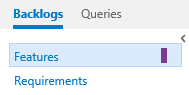
We have come from originally a TFS 2008 CMMI Work Item Template and have upgrade through 2010 and 2012. When we upgraded to TFS 2013 we were keen to use the Agile Portfolio Management features. After enabling it we ended up with the categories Features and Requirements. These categories names we find are often use interchangeably so having them mean distinctly different  things was confusing.

Agile Portfolio Management Categories

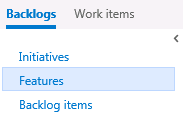
By default if you are the Scrum template you get something far less confusing, Features and Backlog items. Initiatives can be added following Agile Portfolio Management: Using TFS to support backlogs across multiple teams guide.

Scrum Template Categories

So when it came to use agile portfolio management the hierarchy is was not clear. Fortunately this is easily fixed. I assume the TFS Team did not what to end up with another area like Team Projects that is not able to be renamed. To begin open the Developer Command Prompt which has the paths configured for witadmin.
Developer Command Prompt for VS2013

The examples I have done below have been done on the Visual Studio 2013 ALM Virtual Machine provided by Brian Keller. I recommend anyone who is a TFS Admin have the appropriate Visual Studio ALM Virtual Machines for testing changes on. Especially if you are managing a small team since you are unlikely to have a staging environment and setting one up is too much work. Consider these staging and test environments. With the error I got below no one was effected while I worked out the solution.

Renaming Categories

  1. Export the process configuration definition to an xml file: 
    witadmin exportprocessconfig /collection:http://vsalm:8080/tfs/FabrikamFiberCollection /p:FabrikamFiber /f:%userprofile%\desktop\ProcessConfiguration.xml 
  2. Modify the export xml setting the name to something more appropriate:

    <!-- Feature to Saga -->
    <PortfolioBacklog category="Microsoft.FeatureCategory" pluralName="Features" singularName="Feature">
    <PortfolioBacklog category="Microsoft.FeatureCategory" pluralName="Sagas" singularName="Saga">
    
    <!-- Backlog Item to Journey -->
    <RequirementBacklog category="Microsoft.RequirementCategory" parent="Microsoft.FeatureCategory" pluralName="Backlog items" singularName="Product Backlog Item">
    <RequirementBacklog category="Microsoft.RequirementCategory" parent="Microsoft.FeatureCategory" pluralName="Journeys" singularName="Journey">
    
    <!-- Task to Quest -->
    <TaskBacklog category="Microsoft.TaskCategory" parent="Microsoft.RequirementCategory" pluralName="Tasks" singularName="Task">
    <TaskBacklog category="Microsoft.TaskCategory" parent="Microsoft.RequirementCategory" pluralName="Quests" singularName="Quest">
  3. Import the process configuration definition file: 
    witadmin importprocessconfig /collection:http://vsalm:8080/tfs/FabrikamFiberCollection /p:FabrikamFiber /f:%userprofile%\desktop\ProcessConfiguration.xml 

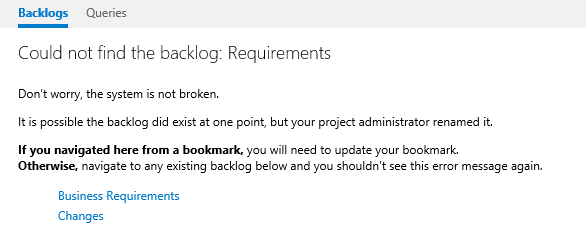
Refreshing the browser after renaming the categories, my URL is wrong since the category no longer exists but I get this very good message:

Most comforting error message ever.

After messing with the process configuration and then getting an error message containing the line, “Don’t worry, the system is not broken”, is very comforting.

Renaming Work Item Types

This is appears easy with just one command.

Rename Feature to Saga:

witadmin renamewitd /collection:http://vsalm:8080/tfs/FabrikamFiberCollection /p:FabrikamFiber /n:Feature /new:Saga

A confirmation prompt appears:

Are you sure you want to rename the work item type Task to the new name of Quest? (Yes/No)

Rename Task to Quest:

witadmin renamewitd /collection:http://vsalm:8080/tfs/FabrikamFiberCollection /p:FabrikamFiber /n:Task /new:Quest

However after doing this you may get this nasty error message when viewing the backlog essentially telling you this time your system is broken and not really useful information on how to fix it:

Broken Configuration Error message

If you export and then import the process configuration definition it will tell you a reason why this could be.

image

Correcting this color reference in the xml as such however gives you this error.

<!-- Update Task to Quest for the new work item type name -->
<WorkItemColor primary="FFF2CB1D" secondary="FFF6F5D2" name="Task" />
<WorkItemColor primary="FFF2CB1D" secondary="FFF6F5D2" name="Quest" />

image

Regardless neither of them are the error. This issue is an application pool recycle of TFS is required. After the application pool recycle, the backlog will be working again.

Now you can upload your modified process configuration definition correcting the work item colors.

Result

Now I have a much more interesting hierarchy:

Final Hierarchy


Technorati Tags:

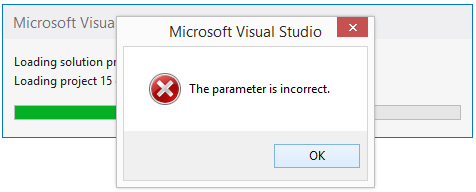
Visual Studio 2013 Project Load Error – The parameter is incorrect or Unspecified error

Here we have this nice obscure error message from Visual Studio 2013. I get it for almost all my projects within the solution, which at 23 or 67 that’s no fun.

image

If a project is reloading due to a background update and you click Reload, then you might get this other unhelpful message.

image

The strange part is that it would go away and then come back. What we discovered is that it is a bug due to the source control bindings on the solution mismatching the connection settings in Team Explorer. In our case we have multiple URLs that resolve to our TFS server. In our solution file we have http://tfs:8080/tfs/<projectcollection&gt; yet in my connection I have https://tfs.<domain&gt;.com/tfs/<projectcollection>. After going through all the error dialogs if you Save All to save the solution file and do a diff, you will see all the URLs updated to your connection.

image

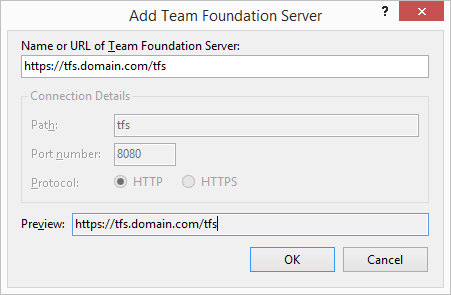
After making sure all the source control paths are the same in all your solution files, ensure everyone on the team updates their TFS connection, by creating a new connection to the desired address.

  1. image
  2. image
  3. image
  4. image
  5. image

You don’t need to remove the existing one, although, it is advised so that you are sure to connect to the correct address.

Windows Phone Apps Download Count Challenge

As I mentioned previously, Dave Glover had another competition running for the most download app, with 30 Nokia Lumia 800’s to give away. I submitted Memory Classic which had at the time, 2,023 downloads, and is currently at 2,500.

Memory Classic

The classic game of Memory Match with a standard set of playing cards. This game comes complete with 3 difficulty levels with up to 21 pairs to match. Game high scores and statistics are recorded to ensure you always have a goal to beat.

Difficulty
Rows
Columns
Easy 4 5
Normal 5 6
Hard 6 7

Memory Classic - Easy Memory Classic - Start Screen Memory Classic - High Scores

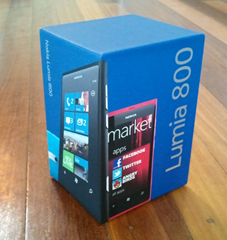
This time I was successful and Dave sent me a beautiful, Nokia Lumia 800. Thanks Dave!

Nokia Lumia 800

Technorati Tags: ,

Don’t Develop Features, Build Designed Products

When faced with a hard deadline you are forced to make decisions fast. Below I am going to detail briefly the design decisions that took place to deliver PlaygroundCommunity for the hack::data competition.

As I stated in my last post, Developers’ Weak Spot, time and time again I fall for this trap. In PlaygroundCommunity I started all wrong. I thought, after my success of the Kindy Web Site, surely there must be a good platform for me to begin this site with. It could give me logins, forums, comments, Facebook integration etc. So began the search. I fired up the Microsoft Web Platform installer and had a look at the open source .NET based blog, forums, content management systems, to find something just right. What I found was that I had fast headed out in the wrong direction on a new project and completely wasted my time.

I did not design the product that I wanted. I had a feature ideas written down, but the problem is shopping list requirements are just plain wrong. They give the false impression that you have thought about your product when you haven’t. My motive for searching for base that had it all was that I did not want to waste anytime coding something that is already done. However, more time is wasted building the wrong thing. I started designing the product wrong. I went:

Idea > Feature Shopping List > Search for existing platform to save development time

After I waste my time, I started again. It still starts with the idea. From the idea you generally cannot help thinking of all the things the application could do. A feature shopping list. Only do this briefly. You don’t even need to write this down and can skip it completely. Coming up with features is usually easy. You need to put all that aside and think of the user experience (UX) and the work flow that is desirable for your users first. When that is taken into account, requirements that sounded good on their own, that don’t fit in the UX get dropped easily. The same goes for discovering features that fall out of the workflow that would not have been easily considered on their own. Always come from the user perspective when considering a new feature. It is like grocery shopping. You plan your meals for the week, check out the recipes and then build a shopping list based on what you need.

The solution for PlaygroundCommunity was to mock the interfaces to determine the functionality that is required. What I ended up with was 2 pages, with external services consumed with JavaScript. Nothing difficult that required a heavy, feature-filled platform to start from. Although this is very clear in hindsight, from my feature shopping list, it was not. Below are the mocks I did in PowerPoint Storyboarding, an extension for PowerPoint that comes with Visual Studio 2012.

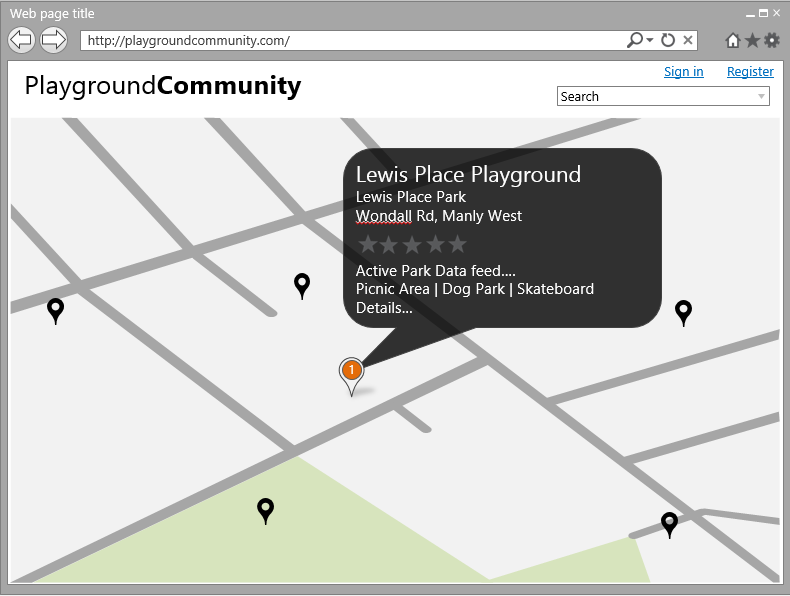
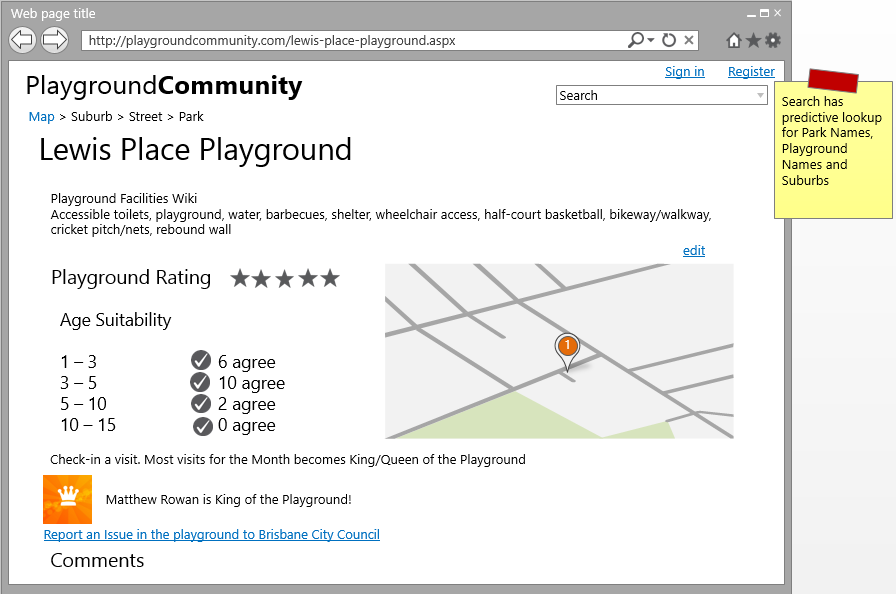
PlaygroundCommunity Mock Page 1PlaygroundCommunity Mock Page 2

From here you can see how close the end product came. I had a few changes on the mocks after consulting a couple of people before I even started coding. It was easy to determine what could also be cut to be able to make the deadline. What makes it interesting is due to the clear scope I was then able to take a risk and use technologies I had no previous experience with, for my learning and improved user experience.

Technorati Tags:

Developers’ Weak Spot

The Internet and code sharing has made the developers who get stuck in Analysis Paralysis potentially worse. Searching the Internet for a solution to prevent reinventing the wheel (or to be diligent to ensure that you do not get it wrong) can end up wasting more time than it saves.

If there are things a good developer knows how to do, often it is worthwhile just doing them without seeing if you can get it already done. There does need to be a balance. But I would argue that the search for an existing solution should be much shorter than typically expected. I’m talking no more than 5% of the estimated time to do it from scratch, with a hard limit of a day for a really big project.

You need to make sure what you are trying to do is not supported by existing code. I remember way back at University in Java 1.3 other students trying to do manually what was provided by the framework with string.EndsWith. All they had to do was check the documentation. IntelliSense makes this much easier these days, but the frameworks, extension methods, available libraries and packages (e.g. NuGet) make the search for ‘does it already exist’ so much harder. When you do not find what you want fairly quickly, do not hesitate to abandon the search and create it yourself.

Consult the Internet, but do not lean on it so that you spend more time looking than you do doing. The Internet certainly is a great resource; we just need to make sure it is used as a resource and not as procrastinator or a crutch.

I wanted to highlight this, because in posts coming up with my development on PlaygroundCommunity I failed in this and also succeeded. It is a delicate balance.

Technorati Tags:

hack::Brisbane – PlaygroundCommunity

With the releasing of public data from Australian governments the Brisbane City Council (BCC) has done an awesome job making available a large range of data sets. To encourage the development community make good of this data BCC ran a competition, hack::Brisbane. The goal was to create anything to help improve Brisbane using this data in an app, web site or tool. The prize: $10,000. That was too big for me (and many other developers!) to ignore. Months of late nights were spent getting something done to enter.

What I came up with, was a very self-serving web site that hopefully serves many other Brisbane parents, and will work better if it does. For a little background, Brisbane has great weather; warm and sunny most the year. I have 3 young boys and we like to be outside as much as possible. Very often on a Saturday, if we have nothing on, and the weather is good, we like to go to a local playground. Brisbane has lots of brilliant playgrounds; over 1000 playgrounds. We like variety. Finding new playgrounds to try however, is more difficult than it needs to be. The BCC does have the information on its web site, but it is in lists by suburb of Parks. Of which you would need to check the details if it has a playground. As you can see below, not the nicest way to browse:

Listed Suburbs

Suburb Park Details

As you can also see, if you go to the site, there is more going on in the parks, like active parks events, exercise equipment, walking groupsreal adventure women events,  kids and teenager chill out programs, skate parksboat/canoe ramps, dog off-leash areas, bush land areas, bikeways and shared pathways, and featured parks which has a whole other list again. Each of these is displayed in a different way, lists of lists, PDF’s, RSS feeds and interactive maps. I would commonly browse the parks lists for playgrounds but with the release of the playground data, complete with Latitude and Longitude coordinates, I knew there was a better way. Welcome PlaygroundCommunity.

PlaygroundCommunity Web Site

Here’s the spiel I put on the About page:

Playground Community exposes in an easy to browse way all the wonderful playgrounds that Brisbane has on offer. It is especially useful for parents to find local or age appropriate playgrounds to visit. The playground information is able to be added to by anyone to extend the playground data in a useful way for the community benefit. It features:

• Playground descriptions, editable by anyone, which detail park and playground facilities and equipment
• 5 Star Community Rating
• Age appropriateness
• Picnic areas and Off-leash dog parks within the park
• Brisbane Active Parks live feed for community events held in the park
• Map filtering of playground features
• Community discussions for each playground
• Easy reporting issues to the council

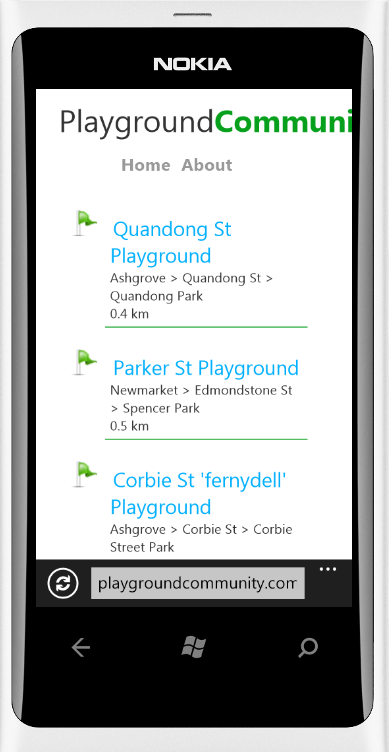
Accessing this site on any phone with a mobile browser will give you a very different view. It is designed to be used on the road, using location services to find the top 10 nearest playgrounds, and gives minimal details to reduce mobile data usage.

PlaygroundCommunity on Windows Phone

The competition ended very successfully with 54 Entries, many very nice, submitted by 18th May 2012. For $20,000 (2 x $10,000 prizes) the council certainly got its money worth for the development done. There are now a bunch of Web Sites, iPhone, Android and Windows Phone apps promoting Brisbane and making more of it known to its residents and visitors. All the entries can be checked out on the hack::Brisbane entries page, including my entry. The winner is to be announced by 22nd June.

PlaygroundCommunity Entry

I didn’t get to include all I wanted to, as often happens with a hard deadline, but I am happy with what I did. In doing this project I took the opportunity to skill up a little on JavaScript and ASP.NET MVC. I tried out Visual Studio 11 Beta and therefore MVC 4.0 and made use of TFS Preview, Microsoft hosted TFS on Windows Azure, and SQL Server 2008 Spatial functions. All of which I intend to share my experiences with.